Countdown apps in React Native: Build, Style & Integrate
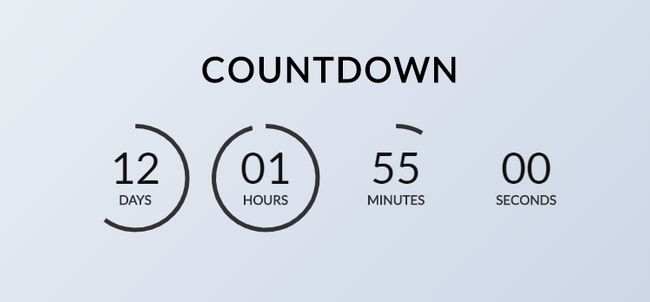
Countdown timers are a powerful way to create urgency and anticipation in digital experiences, and React Native provides a seamless way to implement them on mobile platforms. These timers can be used in various scenarios, from special offers on e-commerce apps to event reminders and more. In this guide, we'll delve into how to create countdown timers in React Native, ensuring a comprehensive understanding of the process.
Before we dive in, make sure you have React Native set up and are familiar with its basic concepts. If you're new to the framework, consider checking out some beginner's guides or tutorials to get up to speed. Now, let's kickstart our countdown journey!
Timer Basics and libraries
Countdown timers in React Native are built on top of JavaScript's built-in Timer API, and many librariesexist to simplify the process. Two popular choices are react-native-countdown-component and react-native-countdown-timer. For this guide, we'll use the former due to its rich configuration options.


First, install the library using npm or yarn:
```bash npm install --save react-native-countdown-component # or yarn add react-native-countdown-component ```Setting up the component
Once installed, import and use the component in your JSX like so:


The until prop defines the duration in seconds, and size sets the font size of the countdown text. You can also customize the countdown format, style, and more. Let's explore these options next.
Customizing the countdown
The react-native-countdown-component library offers several customization options, including:
- timer labeling: Display inline text before, after, or instead of the countdown.
- color scheme: Change the text and background colors.
- text format: Customize the countdown output (e.g., "Days:Hours:Minutes:Seconds").
Apply these customizations using the respective props. For instance, to set a custom format and colors, you might write:
```jsxInteractivity and real-world use cases
So far, we've covered the basics of creating countdown timers in React Native. Now let's delve into how to make them interactive and understand their use cases in production-level apps.
Stopping, pausing, and resuming countdowns
The library provides props like onPress, pausing, resuming, and stopping to control the countdown's state. By combining these with touchable components (TouchableOpacity or TouchableWithoutFeedback) and manual state management, you can create interactive countdowns.
Use cases and best practices
Countdown timers are versatile tools with numerous applications, such as:
- Deals of the day in e-commerce apps.
- Event reminders and countdowns for live streams.
- Displaying limited-time offers and promotions.
- Pinning a section to the top of a screen until an event or expiry.
When using countdown timers, keep the following best practices in mind:
- Ensure the countdown time is relevant to the user's context.
- Use clear formatting and visibility to communicate the time remaining.
- Consider accessibility when designing your countdown's style and behavior.
Countdown timers are an essential tool in creating engaging and dynamic mobile experiences. By mastering the creation and customization of countdowns in React Native, you'll unlock new possibilities for your apps and user interfaces. Stay tuned for more React Native insights, and until then, happy coding!



Related Articles
React Native Countdown Clock: Timer & Stopwatch Components
In the dynamic world of mobile app development, timing features are crucial, and React Native, with its JavaScript-based approach, offers the perfect platform...

React Native Input Component: Mastering Text Fields
React Native is a popular JavaScript-based mobile app development framework backed by Facebook. It allows developers to build efficient, high-quality apps for...
Mastering Counter Input with React Native: A Comprehensive Guide
In the dynamic world of mobile app development, React Native has emerged as a powerful tool, enabling developers to build cross-platform applications using a...

"Build Counter App with React: Step-by-Step Guide 2023"
In the ever-evolving landscape of mobile app development, React emerges as a beloved framework for building intuitive and dynamic user interfaces. This article...

React Counter App: Build a Simple Example in 5 Minutes
Diving into the realm of React, a popular JavaScript library for building user interfaces, one of the first and simplest components you'll create is often a...

T-Shaped Island Dining Table: Maximize Space & Style
A T-shaped island dining table, a harmonious blend of functionality and style, has become an iconic choice for modern homes and commercial spaces alike. This...