Use Count Up React Tutorial
When it comes to building interactive and dynamic user interfaces, React.js is a game-changer. One powerful feature of React is its ability to manage state, allowing components to update and re-render when certain conditions are met. The 'useCountUp' hook is an excellent example of this, providing a simple and efficient way to increment and display a count in your React application.
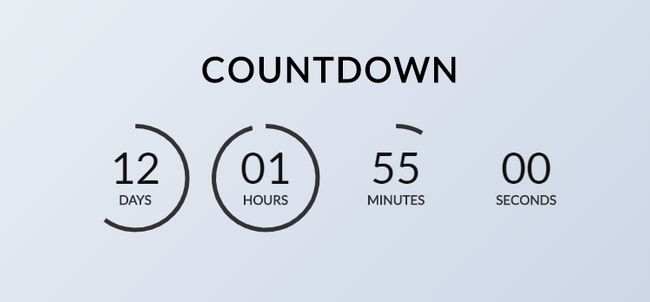
The 'useCountUp' hook is particularly useful when you need to display incrementing numbers, like a counter or an animated number. It's also great for creating countdown timers or other time-based animations. In this article, we'll explore how to use 'useCountUp' in your React applications, along with some practical tips and examples.
Getting Started with 'useCountUp'
Before we dive into the details, let's ensure you have the necessary prerequisites. You'll need to have Node.js and npm (Node Package Manager) installed on your computer. If you haven't installed them yet, you can download Node.js from the official website (nodejs.org) and follow the installation instructions.


Once you have Node.js and npm set up, you can install 'useCountUp' in your React project using npm or yarn. Here's how you can do it:
Using npm:


`npm install react-use-count-up`
Using yarn:
`yarn add react-use-count-up`


Basic Usage
Now that you have 'useCountUp' installed, let's see how to use it. First, import the hook in your component:
`import { useCountUp } from 'react-use-count-up';`
Then, initialize the count and options inside your component:




`const { count, isDone } = useCountUp({ end: 100, duration: 3, delay: 0 });`
Here, 'count' will hold the current number, while 'isDone' is a boolean indicating whether the count has reached its end value. 'end' is the final count, 'duration' is the total time for the count in seconds, and 'delay' is the initial delay before starting the count.
Styling and Customization
'useCountUp' also allows you to customize the count display and style. You can pass additional props to customize the appearance:
`const { count, isDone } = useCountUp({ end: 100, duration: 3, separator: ',', formattingFn: (num) => `${num}%` });`
In this example, ',' is used as a thousands separator, and 'formattingFn' is a formatting function that converts the count to a percentage.
Advanced Usage
Sometimes, you might need more flexibility in controlling the count. 'useCountUp' offers several options for this.
Control the count manually:
`const { count, next, reset, isDone } = useCountUp({ end: 100, duration: 3, delay: 0, onEnd: () => console.log('Count is done!') });`
Now you can increment the count manually using 'next()', or reset it to the initial state using 'reset()'. The 'onEnd' callback will be triggered when the count reaches its end value.
Pause, Resume, and Reset the Count
You can also pause, resume, and reset the count using the 'pause()', 'resume()', and 'reset()' functions, respectively. This can be particularly useful when creating interactive features, such as countdown timers that can be paused and resumed:
`const { count, next, pause, resume, reset, isDone, isPaused } = useCountUp({ /* ...options... */ });`
Adding 'useCountUp' to Your Project
To integrate 'useCountUp' into your project, follow these steps:
- Install 'useCountUp' using npm or yarn, as shown earlier.
- Import the hook in your target component(s).
- Initialize the count and options in your component's state or as props.
- Display the count using JavaScript template literals or JSX.
- Customize the count display and style using the additional props provided by 'useCountUp'.
Here's a simple example demonstrating how to use 'useCountUp' in a functional component:
```jsx import React from 'react'; import { useCountUp } from 'react-use-count-up'; const CountUpExample = () => { const { count, isDone } = useCountUp({ end: 100, duration: 3, delay: 0 }); return (Count Up Example
{isDone ?The count has ended!
:The count is currently at: {count}
}Using 'useCountUp' in your React applications allows you to create dynamic and interactive user interfaces with ease. Whether you're building a simple counter, an animated number, or a complex time-based feature, 'useCountUp' has you covered.
So, why wait? Start incorporating 'useCountUp' into your projects today and watch your user interfaces come to life! Happy coding!
Related Articles

Create Counter React Tutorial
Have you ever found yourself in need of a counter in your React application, but struggled with the complexities of state management? React's built-in state...

Mastering React: Step-by-Step Counter App Tutorial
In the fast-paced world of web development, keeping track of changes and updating state can be a challenge. This is where React, with its virtual DOM and...

Counter Example in React: A Comprehensive Tutorial
React, a popular JavaScript library for building user interfaces, has a powerful component-based structure. Sometimes, you might want to create a component...

Mastering Redux with React: Counter Example Tutorial
Redux, a predictable state container for JavaScript apps, is often used alongside React, a popular JavaScript library for building user interfaces. A common...
React Redux Counter Example: Step-by-Step Tutorial
React and Redux are two fundamental tools in modern web development, often used in tandem to manage state effectively in JavaScript applications. A common...

DIY U-Shaped Curtain Rod Tutorial: Easy & Affordable
Elevate your window dressing game with a DIY U-shaped curtain rod, a stylish and functional custom solution that brings a touch of elegance to your space. Not...