Maximize Performance: Ultimate Tips Training Manual PDF
In the dynamic world of professional development, having a comprehensive tips training manual PDF at your disposal can be a game-changer. This critical resource provides a wealth of insights and actionable strategies that enhance your training programs, fostering an environment of continuous learning and growth. In this article, we will delve into the intricacies of creating an effective tips training manual PDF, ensuring it stands out in the digital landscape and drives your training objectives.
Before we dive into the creation process, it's essential to understand the significance of having a well-structured tips training manual PDF. This document serves as your training bible, encapsulating valuable insights, best practices, and practical tips that guide your training journey. From rookie trainers to seasoned professionals, a comprehensive tips training manual PDF is a powerful tool that unifies your training approach, ensuring a stimulating and productive learning environment.
Crafting an Engaging Table of Contents
A compelling table of contents is the roadmap to your manual, prompting users to explore specific sections that cater to their unique needs. To maximize its effectiveness, consider the following:


1. Be Descriptive: Use clear and concise headings to convey the content within each section. Vague or misleading headings can confuse users and hinder the resource's overall usefulness.
2. Keep it organized: Maintain a hierarchical structure with subheadings that branch out from primary topics. This logical flow helps users navigate the manual seamlessly, leading them to the information they seek promptly.


Navigating with Hyperlinks
Incorporating hyperlinks within your PDF manual elevates its usability, enabling users to traverse sections hassle-free. Link important keywords or phrases to their corresponding sections in the table of contents, providing users with a quick path to relevant information.
To add interactivity, insert links to external resources such as videos, audio clips, or websites that complement the manual's content. This thoughtful integration of multimedia elements fosters a multi-dimensional learning experience, capturing users' attention and reinforcing key concepts.
Designing for Scannability
Most users prefer to scan documents rather than reading them word for word. To accommodate this natural tendency, format your manual with scannability in mind:


1. Use Headings: Break up text with subheadings, bullet points, and bold/italic fonts to create visual signposts that guide users' eyes through the content.
2. Minimize Text: Keep explanations concise and focused. Avoid verbose descriptions that may overwhelm or confuse users, making your manual less accessible.
Curating Expert Content for Your Manual
An exceptional tips training manual PDF is built on a foundation of valuable insights and practical advice tailored to your specific audience. To create a resource that resonates with your trainers and learners, focus on these essential aspects:


1. Identify Key Topics: Pinpoint the core subjects relevant to your audience's needs and develop a comprehensive list of tips that address these areas explicitly.
2. Leverage Expertise: Tap into the knowledge of seasoned trainers within your organization. Collect their proven strategies, innovative teaching techniques, and lessons learned to enrich your manual's content.
Providing Real-World Examples
Grounding your tips in real-world scenarios helps users apply the concepts to their unique situations. Here's how to leverage examples effectively:
1. Storytelling: Weave engaging narratives that illustrate a tip's implementation and highlight its advantages. Storytelling makes your manual more relatable and memorable.
2. Case Studies: Use actual case studies to demonstrate the impact of applying specific tips. This technique not only reinforces the targeted concepts but also builds your manual's credibility.
Promoting Continuous Learning
A comprehensive tips training manual PDF should inspire users to seek out additional resources and continuously enhance their skills. Encourage this growth mindset by:
1. Recommending Further Reading: Suggest relevant books, articles, and online resources that delve deeper into particular topics, encouraging users to explore beyond the manual.
2. Highlining Industry Events and Webinars: Inform users about upcoming industry events, workshops, and webinars. Engaging in these external learning opportunities fosters a culture of continuous professional development.
As your tips training manual PDF begins its journey into the hands of eager trainers, remember that its success lies not only in its creation but also in its evolution. Regularly update your manual with fresh insights, user feedback, and emerging best practices to ensure its relevance and longevity. By investing in this valuable resource, you are cultivating a legacy of success and continuous growth in your organization's training programs.
Related Articles

Mastering Skills: Ultimate Tips Training Manual
Training new employees and sharpening the skills of existing staff is a critical part of running a successful business. While every organization has its unique...
HD2 Training Manual: 10 Top Tips to Master the Course
Discovering the ins and outs of HD2 training can be an exciting journey, and having the right manual tips at your disposal can make all the difference. With...

Mastering Tips: Your Ultimate PDF Training Guide
Are you a trainer looking to enhance your sessions with engaging and effective activities? Tips training, also known as "microlearning," offers a solution...
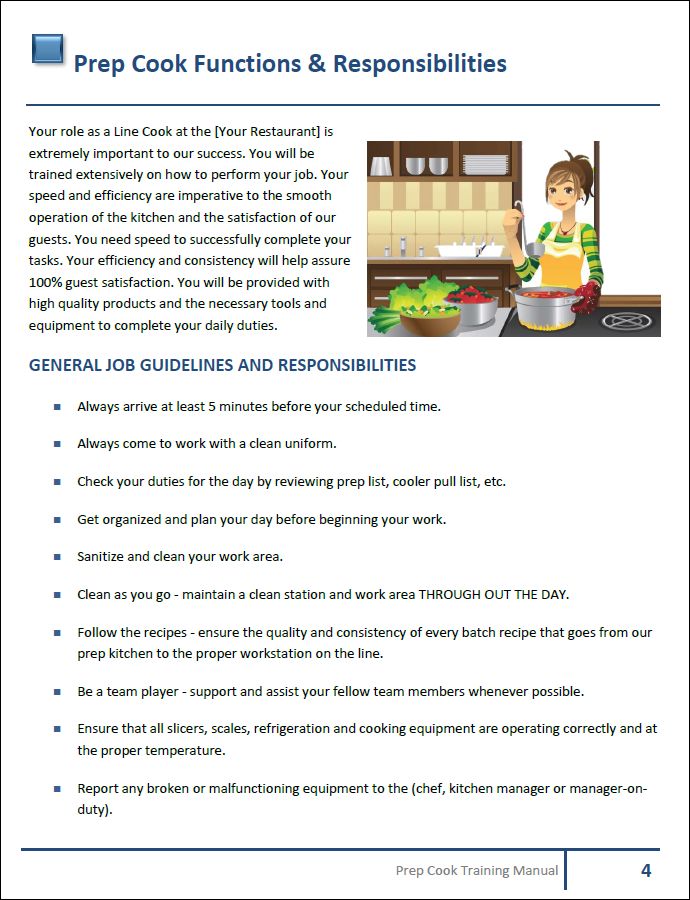
Ultimate Guide: Restaurant Kitchen Training Manual
A comprehensive restaurant kitchen training manual is an essential investment for any dining establishment. It serves as a roadmap for new staff, ensures...

Ultimate Restaurant Kitchen Training Manual PDF
Crafting a comprehensive, practical, and engaging restaurant kitchen training manual is a critical task that ensures consistency, efficiency, and safety in...

Mastering Dental Front Desk: Ultimate Training Manual (PDF)
Elevate your dental practice's operational efficiency and patient satisfaction with a comprehensive dental front desk training manual. This vital resource is...